Make any microphone sound better.
Strafr Mic cleans up your voice in real time, before Discord, OBS or your game hear it. AUTO ENHANCE tunes the noise reduction, EQ, compressor and limiter to your voice and your room in 10 seconds.
One payment, yours for life. For Windows 10 and 11. New to it? The guide starts at zero.
Hear the difference
A noisy desk: a PC fan, a mechanical keyboard and mains hum. Press play and switch between the raw microphone and what Strafr Mic makes of it after one AUTO ENHANCE.
The first 3 seconds are the room alone: a PC fan, keyboard clicks and mains hum. Processed, it’s silent.
- Background noise
- −49 dBFS → silent
- Talking level
- −30 → −17 dBFS
What AUTO ENHANCE set for this recording
- Input gain +9.5 dB: the voice measured −30 dBFS, now about −20 dBFS
- Noise reduction HIGH: the background sat at −40 dBFS after the gain
- High-pass at 90 Hz, under the voice
- EQ: fuller around 250 Hz, less nasal at 1 kHz, more presence at 5 kHz
- Expander: pauses go down up to 30 dB
- De-esser from 4 kHz
- Compressor 3:1 from −24 dB with auto makeup
- Limiter at −1 dB: nothing clips
A text-to-speech voice through a desk microphone. Processed is that same recording after AUTO ENHANCE in Strafr Mic, made by the app’s own processing, not by your browser. It’s also louder: AUTO ENHANCE brings talking up to about −17 dBFS. Use headphones.
What’s inside
- AUTO ENHANCE
- Stay quiet for 3 seconds, then talk for 7. Strafr Mic measures your room and your voice and sets the gain, noise reduction, gate, high-pass, EQ, de-esser, compressor and limiter for them. It lists every change it made, and Undo puts your settings back.
- Noise reduction that keeps your voice
- Removes fans, air conditioning, PC hum and room noise, and softens keyboard and mouse clicks. It uses RNNoise, a small neural network trained on speech and noise, running on your PC: nothing is uploaded. Off, Low, Medium or High, a strength control, and 50 or 60 Hz hum removal.
- The whole voice chain
- Gain and boost, a gate or a gentler expander with AUTO THRESHOLD, a high-pass from 20 to 200 Hz, a 12-band EQ you drag on a graph, a de-esser, a compressor with seven starting points and AUTO MAKEUP, subtle saturation, and a limiter at −1 dB. Every step has its own switch, bypass, reset and live meter.
- Analyze voice
- Talk for 10 seconds and see your voice’s real spectrum: its dominant frequency, most active range, noise floor, average level, pitch and sibilance. SUGGEST EQ shows a gentle starting curve before anything changes. The newest 100 analyses are kept, to compare microphones and rooms.
- Mic test
- Record 5 to 30 seconds and listen back, raw and processed, switching at the same moment, with the noise floor, peak, RMS and dynamic range of both.
- Hear yourself
- Monitoring with its own output and volume, raw or processed, and a warning when speakers next to your microphone could feed back.
- Profiles per game
- A complete set of settings for each game or app. Strafr Mic switches when the game starts, and back when it closes.
- Mute and push to talk
- A global mute key, push to talk or push to mute, on keys, mouse buttons or combinations, also while a game is in front (except games running as administrator). Muted, the apps that use the virtual cable get silence.
- Presets
- 16 voice presets built in, from Natural Voice to Broadcast. Save your own, export them as files, and share them in the community.
- Out of the way
- Start it with Windows and keep it in the tray: your voice keeps being processed while the window is closed. The tray icon shows when you’re muted.
The app
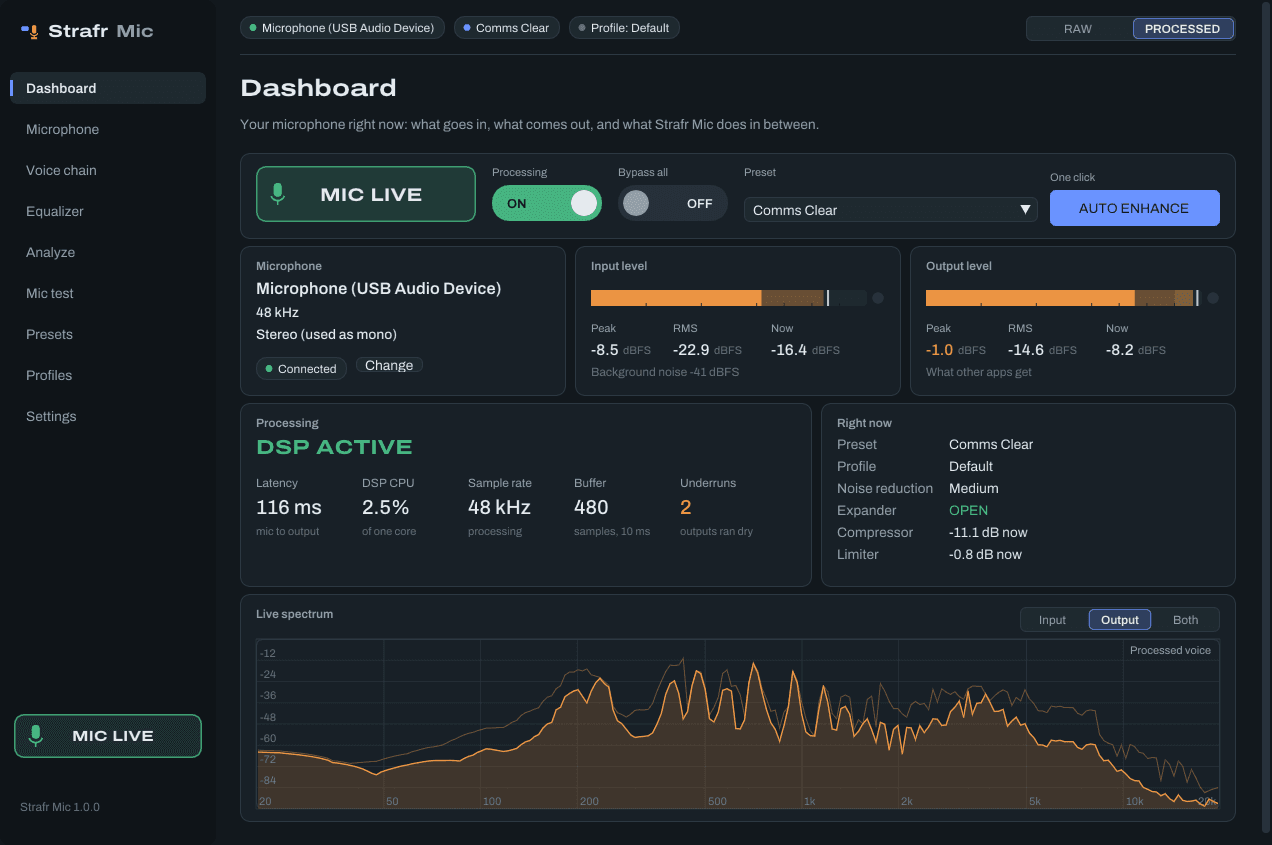
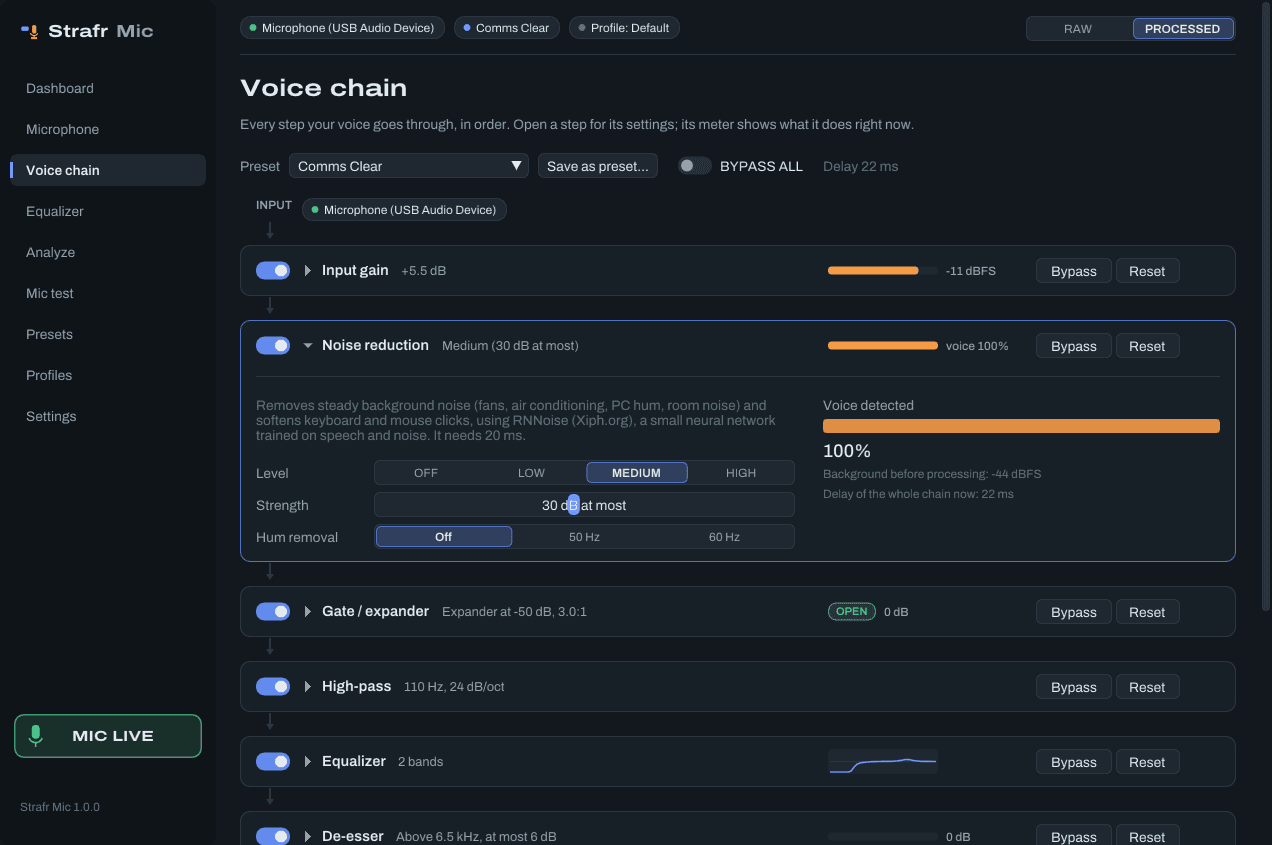
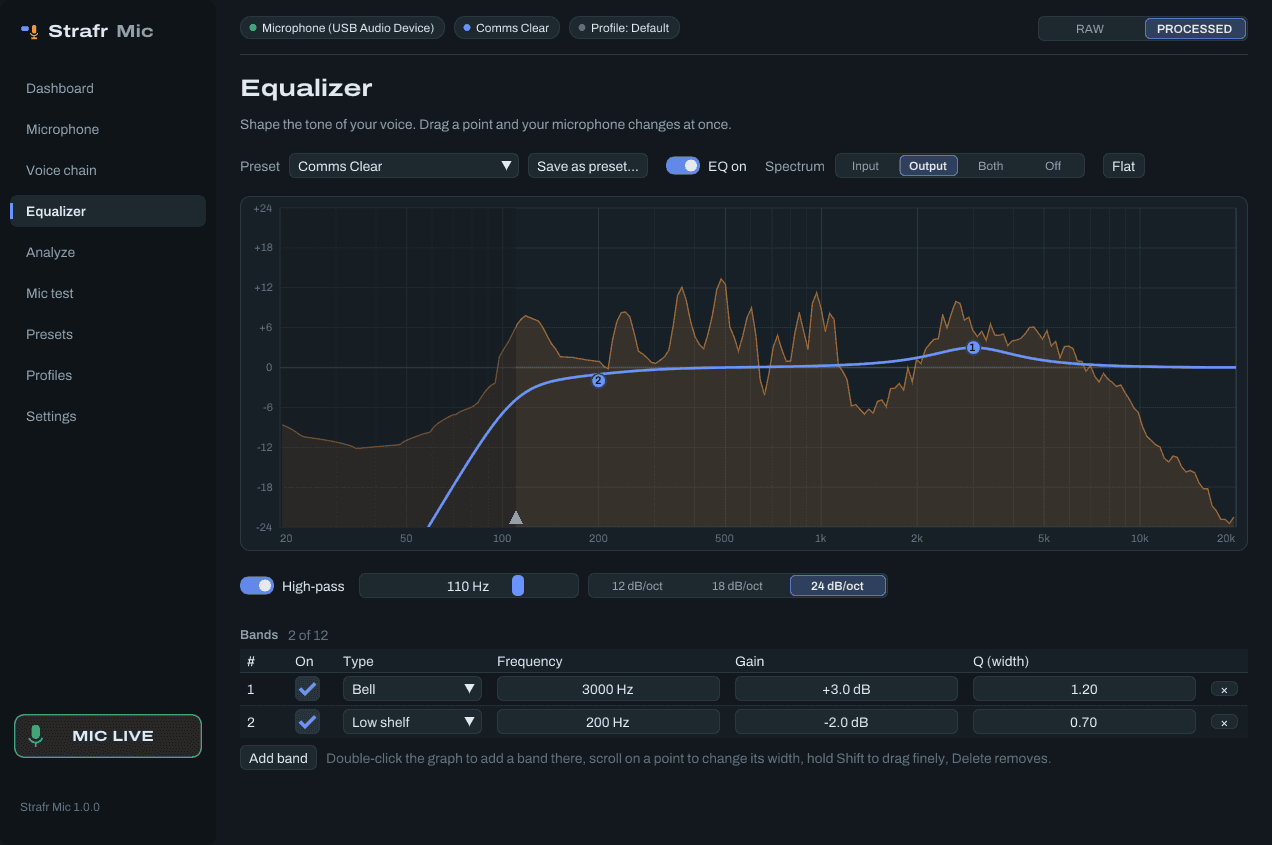
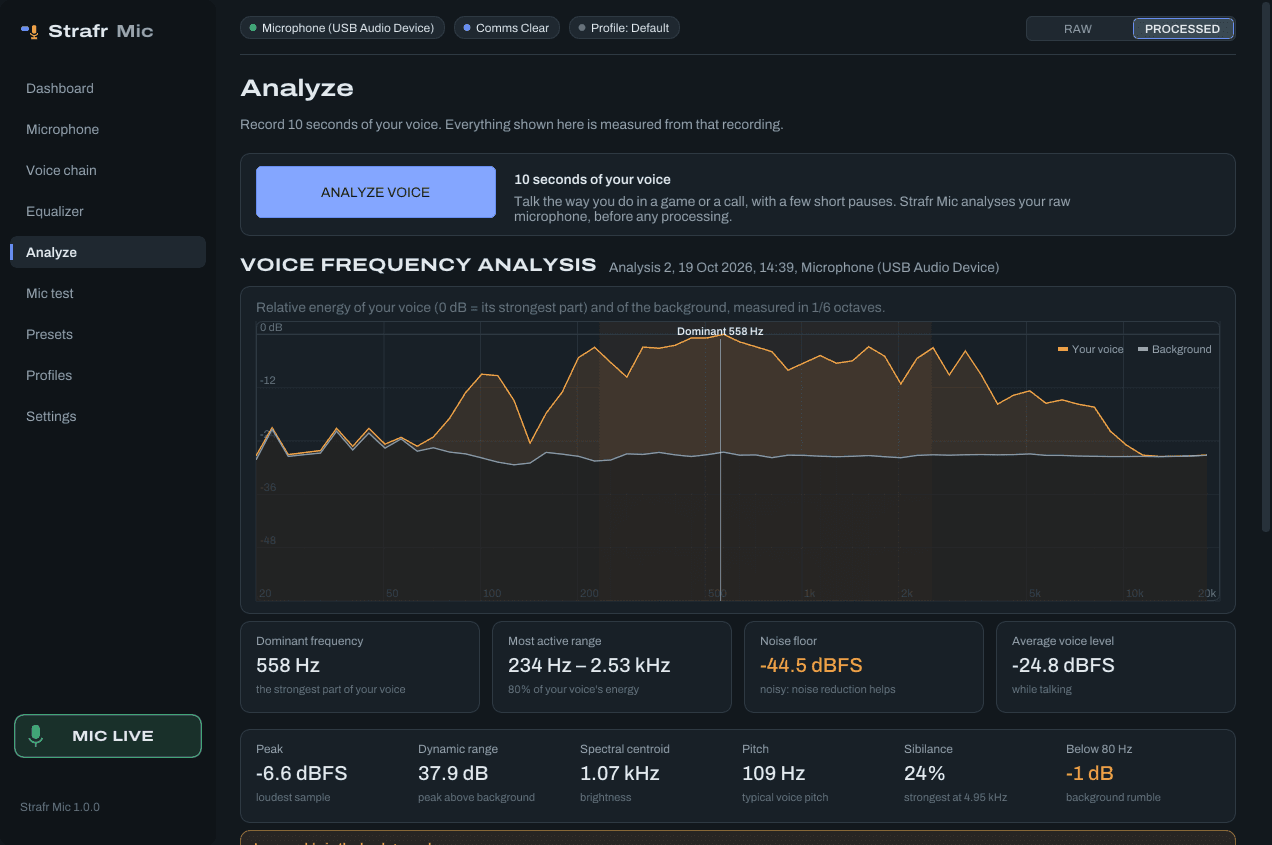
What you need
Straight answers, so you know what you get before you buy. Voice presets from other players are in the community.
- Windows
- Windows 10 or 11, 64-bit.
- A microphone
- Any: USB, a headset, an audio interface, or the one in your laptop.
- A virtual cable
- Free, for Discord, OBS and games, and the setup installs it for you. Those apps pick a microphone, so Strafr Mic sends its processed voice into VB-CABLE (donationware by VB-Audio Software, downloaded from vb-audio.com during setup). Strafr Mic names its two ends Strafr In and Strafr Out, and you pick Strafr Out as the microphone in your apps. Monitoring and the mic test work without it.
- Delay
- The processing adds 20 to 30 ms, most of it for the noise reduction; the exact amount depends on your sound card’s buffer size. The app shows the whole delay from microphone to output: the processing plus the buffers Windows and your devices use.
Strafr Mic licence
€3.99
Once. No subscription.
- The whole voice chain, AUTO ENHANCE, Analyze voice, the mic test, profiles and every update after
- One PC at a time, moved with a hardware reset every 14 days
- Download and licence right after payment
- Visa
- Mastercard
- PayPal
- paysafecard